RoomSketcher Reviews 370

TrustScore 4.5 out of 5

4.4

While we don't verify specific claims because reviewers' opinions are their own, we may label reviews as "Verified" when we can confirm a business interaction took place. Read more

To protect platform integrity, every review on our platform—verified or not—is screened by our 24/7 automated software. This technology is designed to identify and remove content that breaches our guidelines, including reviews that are not based on a genuine experience. We recognise we may not catch everything, and you can flag anything you think we may have missed. Read more

Review summary

Created with AI, based on recent reviews

Evaluating 132 reviews, reviewers overwhelmingly had a great experience with this company. Customers consistently find the platform user-friendly and intuitive, praising its clear layout and easy-to-learn interface, even for beginners. Many appreciate the efficiency of the product, noting how quickly they can create professional-looking floor plans and visualize spaces with features like drag-and-drop functionality and 3D views. The customer service is frequently highlighted as excellent, with people commending the quick, professional, and friendly support, including helpful webinars and one-on-one sessions. However, some customers also noted that certain aspects, like adjusting walls or furniture colors, are not immediately obvious, and some desire more customization options and a broader selection of furniture. A few other people also felt that the pricing structure, particularly the credit system and the cost of the Pro version, could be expensive or perceived as primarily profit-driven.

What people talk about most

User experience

Reviewers consistently express satisfaction with the user experience, highlighting the platform's intuitive... See more

Product

Customers consistently note positive experiences with the product, describing it as a very good and intuitive... See more

Customer service

Clients share positive opinions on customer service, consistently describing it as excellent, very good, and... See more

Price

Consumers find price to be ambiguous, with many reviewers considering the service to be reasonably priced and... See more

Application

Customers had positive experiences with the app, with many considering it a favorite due to its ease of use... See more

Reviews shaping this summary

Rated 4 out of 5 stars

RoomSketcher is very user friendly, I like the drag and drop and easy placement options. The rendering quality is superb and my clients enjoy being able to visualize the space with the 360 mode. I wou... See more

Company replied

Rated 4 out of 5 stars

Roomsketcher has a clear and simple layout and was easy to teach myself how to use. Anything I did not understand was easy to find out from youtube tutorials etc. Now I have been using it for seve... See more

Company replied

Rated 4 out of 5 stars

We were searching for a way to show our clients a room plan in 3-D and also an app that would offer a room capture option. Room Sketcher has provided both of those at a reasonable price point for our... See more

Company replied

Rated 4 out of 5 stars

After getting a hang of Room Sketcher, it’s easy to use, but initially things are not obvious like adjusting wall, measurements and colors of furniture, etc. Also, once you purchase Pro, that’s not th... See more

Company replied


Company details

  1. Software Company
  2. Software Vendor

About RoomSketcher

Written by the company

RoomSketcher is professional floor plan software that makes it easy to create and share accurate, high-quality floor plans.
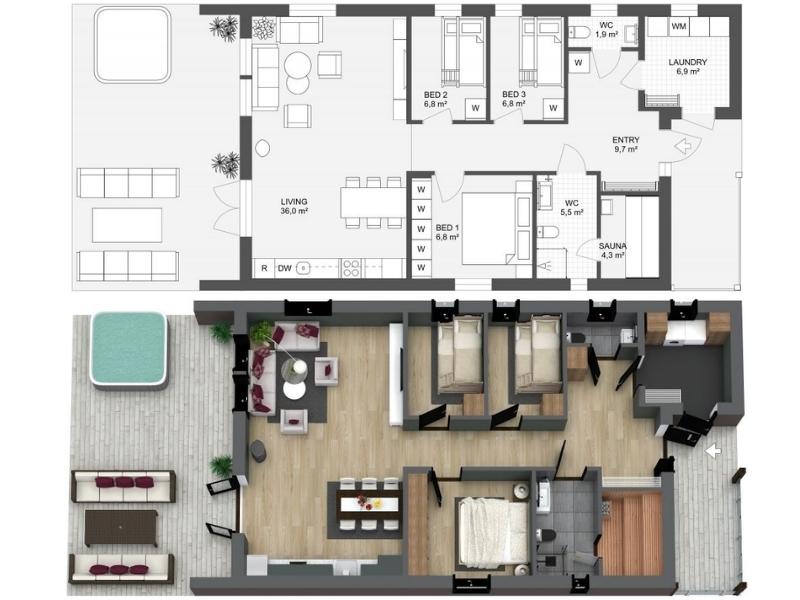
RoomSketcher Example
RoomSketcher gives you the flexibility to create floor plans in five different ways.

Draw your floor plans from scratch, order your existing blueprint to be redrawn, manually trace over existing sketches, use AI Convert to quickly transform existing plans, or scan floors with your phone into RoomSketcher (available on iOS).

With RoomSketcher, you can:
  • Create polished 2D & 3D floor plan visualizations in your style.
  • Work seamlessly across computers and tablets with cloud-synced projects.
  • Save time by letting our team quickly convert existing plans for you.
Trusted by thousands of real estate professionals, interior designers, and general contractors worldwide since 2007. We help you save time, impress clients, and boost your marketing with visuals that stand out.

Visit RoomSketcher’s Website

Contact info

4.4

Excellent

TrustScore 4.5 out of 5

370 reviews

5-star
4-star
3-star
2-star
1-star

Asks customers to review

This company invites their customers to review, whether positive or negative

Replied to 100% of negative reviews

Typically replies within 48 hours

How this company uses Trustpilot

See how their reviews and ratings are sourced, scored, and moderated.

Companies on Trustpilot aren't allowed to offer incentives or pay to hide reviews. Reviews are the opinions of individual users and not of Trustpilot. Read more

Rated 1 out of 5 stars

I am not impressed with the quality of…

I am not impressed with the quality of the software. I assumed it was more intuitive. I would like a refund for the fee I paid.

Customer service was great! No complaints about it or the product really, just not what I expected.

September 10, 2025
RoomSketcher logo

Reply from RoomSketcher

Hi Justin. We're happy to hear you had no complaints about our product, and loved our customer service. We're sorry the software wasn’t as intuitive as you expected. If you’d like a refund, we do offer this within 30 days of purchase. You can start the process quickly by contacting our customer support team.

Thanks for giving RoomSketcher a try.

Rated 3 out of 5 stars

Beginner’s cramps

I had difficulty entering my floor plan. The appliances menus seem to lack many of those I needed, however I was able to use those provided as substitutes in most cases. Am still experimenting at this point.

September 11, 2025
RoomSketcher logo

Reply from RoomSketcher

Thanks for your review, Denis. Our furniture and item library includes many options, but we’d be happy to hear about any appliances you’d like to see added. Our support team is also available to guide you through any difficulties as you experiment. Thank you for trying out RoomSketcher!

Rated 3 out of 5 stars

The trade-offs were not for me

I don't like lack of grouping functionality and the limitations of changing materials as groups. It's easy to set up a design but tedious to edit. I'm familiar with 3d software and CAD principles so decided to switch to SketchUp. I prefer to put more work in up front but have it easier to designate components that can be edited as one.

September 5, 2025
RoomSketcher logo

Reply from RoomSketcher

Thanks for your review Jami, we're sorry to hear RoomSketcher wasn't the right fit for you. RoomSketcher is designed to be as easy to use as possible, which means some of the editing features you mention aren't available yet. Your feedback on grouping and grouped material changes is very valuable, and I'll pass on the issue to our product as we continue to improve. Thanks again for giving RoomSketcher a try!

Rated 5 out of 5 stars

I am / we are quite happy

I am quite happy with the tool, which is growing more intuitive as I use it more and more. The customer support is also outstanding. We are very pleased to be sticking with RoomSketcher for our senior move management business.

August 25, 2025
Unprompted review
RoomSketcher logo

Reply from RoomSketcher

We're so happy to hear it Mary! We take pride in our customer support, so if there's anything you need help with or would like to give us feedback, please reach out. Thank you so much for choosing RoomSketcher.

Rated 5 out of 5 stars

Outstanding tool & stellar support – perfect for OT home adaptations!

I’ve been using RoomSketcher for several months, and it has become my go-to platform for planning basic home adaptations as an Occupational Therapist. The software is intuitive and powerful, but what truly sets it apart is the customer service. Every interaction has been prompt, friendly, and solution-focused.

The 1-to-1 coaching sessions and live webinars are a game-changer. In just a few minutes I can clarify doubts, learn shortcuts, and refine my floor plans to meet safety standards and client needs.

July 22, 2025
Unprompted review
RoomSketcher logo

Reply from RoomSketcher

Thank you for your review, Maria! We love that RoomSketcher has been able to help you adapt homes to become more easily livable for your clients and patients. Thanks also for your kind words about our support and training, we appreciate it. Feel free to reach out and thank you for choosing RoomSketcher!

Rated 5 out of 5 stars

I'm very satisfied with RoomSketcher

I'm very satisfied with RoomSketcher. They are very prompt and look after you. They respond real quick to the emails and the software is very easy to use, it's user-friendly and the interface is not complicated. They also do sessions through a video call which you can set up with them. I give it a 10!

July 7, 2025
Unprompted review
RoomSketcher logo

Reply from RoomSketcher

Thanks so much for the great review and the 10! We're really glad to hear RoomSketcher is working well for you and that our team has been helpful. Always here if you need anything!

Rated 5 out of 5 stars

Thank you

Thank you for the quick, professional, and very friendly support!
The process was well-structured, informative, and focused on exactly what was necessary – making it easy to understand and follow.
I felt I was in the best hands at all times. Would be happy to do it again anytime!
The software is very user-friendly and practical.
5 stars!

May 27, 2025
RoomSketcher logo

Reply from RoomSketcher

So happy to hear that! Thank you for the lovely review. Really glad you felt in good hands and found the software easy to use😊

Rated 5 out of 5 stars

RoomSketcher is an essential tool

RoomSketcher is an essential tool in my design process. It’s intuitive, flexible, and allows me to quickly bring my clients’ visions to life with stunning 3D visuals. The live walkthrough feature is a real showstopper—clients are consistently wowed by how effortlessly they can experience their future space. It not only supports the client journey once a project begins, but has even helped me win new clients—by quickly mocking up ideas early on, I’ve been able to demonstrate my thinking and vision before a project even kicks off. I couldn't do what I do without it.

April 8, 2025
Unprompted review
RoomSketcher logo

Reply from RoomSketcher

Thank you so much for the thoughtful review, Debby. We're really glad to hear that RoomSketcher has become such a valuable part of your design process. We love hearing that the live walkthroughs are such a hit with your clients.

Rated 5 out of 5 stars

Great trainer and training experience

Great trainer and training experience. Also, follow up was provided as needed. Very well done.

March 28, 2025
Unprompted review
RoomSketcher logo

Reply from RoomSketcher

Thank you so much for the lovely review, Harry. We're so happy to hear you had a great experience and felt supported. It truly means a lot.

Rated 5 out of 5 stars

Great program

Very easy to use as a program and the support team is direct and kind, willing to help you

March 14, 2025
Unprompted review
RoomSketcher logo

Reply from RoomSketcher

Despoina, we are so happy to hear that you are happy with our tool and our support. Thank you for taking the time to write a review. Much appreciated!
Kind regards, Team RoomSketcher

Rated 5 out of 5 stars

They have nice people helping and…

They have nice people helping and there Emails that they send are really helpfull

April 5, 2024
Unprompted review
RoomSketcher logo

Reply from RoomSketcher

Aw, thanks Amanda, that is so nice to hear! Thank you so much for taking the time to write us a review.

Rated 5 out of 5 stars

Instructions were very clear and…

Instructions were very clear and helpful.

January 13, 2025
Unprompted review
RoomSketcher logo

Reply from RoomSketcher

Hi Lisa,
Thank you for your feedback. We are very happy to hear you found our instructions clear and helpful.
Let us know if you have any questions! https://www.roomsketcher.com/contact/

Kind regards,
Team RoomSketcher

Rated 4 out of 5 stars

Excellent support.

This programme is accurately described in its name and does a good job as a tool to lay out rooms in a floor plan. Just don't expect it to handle ceilings, especially sloped or cathedral ceilings, so it's best not to even try to do this. What is particularly good about RoomSketcher is the technical support. I had a great session via Zoom with Anusha, who really is a brilliant ambassador for the company. She has excellent knowledge of the programme and was able to answer all my questions with screen sharing to make it all clear. There were also email follow ups to the original help session and the response from all technical enquiries has always been first class - probably the best support of any application I've ever experienced.
The only reason I'm not giving RoomSketcher a 5 star review is its inability to move an imported blueprint in the canvas. If you import a blueprint to trace and then want to import a second blueprint to use elements from it to make alterations or additions, the new blueprint cannot be moved relative to the plan you've created, making the task much more difficult. There is a workaround: by adding or removing content from the second plan, with trial and error, you can adjust its position, but it's a very clumsy and slow workaround. This is something which needs to be addressed by RoomSketcher.

February 13, 2025
Unprompted review
RoomSketcher logo

Reply from RoomSketcher

I'm so glad to hear that you like our software, and Anushua is amazing! I agree that creating sloped ceilings can be quite tricky, but we have help articles that explain step-by-step how to do it. Our customer service team is also available if you need further assistance. https://help.roomsketcher.com/hc/en-us/articles/360000563269-How-to-Draw-Sloped-Ceilings

Your feedback about the blueprints is great! I have shared it with our product team so they can take a closer look. Please let us know if we can assist with anything else! https://www.roomsketcher.com/contact/

Rated 3 out of 5 stars

TOUGH TO WORK WITH

It was very good to start working with. However, the software's Wall Height Locking feature does NOT, I repeat, NOT hold at all. Heights change repeatedly despite saving the project after each change of wall height. It is very difficult to draw simple but Sloping roofs, especially when more than one room or more than one sloping roof is needed. I may have to cancel because of these difficulties.

January 14, 2025
Unprompted review
RoomSketcher logo

Reply from RoomSketcher

Hi Moe,
Thank you for your feedback. I'm sorry you've had some issues with the app. RoomSketcher is not a roof-building tool, and this is why you have struggled. You can create one sloped ceiling or even a cathedral ceiling by changing the wall height, as described in this help article: https://help.roomsketcher.com/hc/en-us/articles/360000563269-How-to-Draw-Sloped-Ceilings. However, once you start changing the wall height all over, it will not work and the walls will change back.

RoomSketcher was made to create bird-view floor plans, not high-level elevations. You can use Live 3D or the Snapshot tool to see the 3D elevation of one level/floor. However, you will not be able to see all levels/floors and the roof.

I hope RoomSketcher can still be useful for you, and please let us know if you have any questions at support@roomsketcher.com

Kind regards,
Team RoomSketcher

Rated 5 out of 5 stars

Great program

Great program. Very easy to use, very flexible and really helpful in helping us design and layout our home

January 8, 2025
Unprompted review
RoomSketcher logo

Reply from RoomSketcher

Hi Rob,
Thanks for the great review! We are very happy to hear you enjoy the app and that you find it helpful.

Kind regards,
Team RoomSketcher

Rated 2 out of 5 stars

The free version doesn't even give you…

The free version doesn't even give you the possibility to view the measurements of rooms, and for that one needs to upgrade at 100 euros...

January 5, 2025
Unprompted review
RoomSketcher logo

Reply from RoomSketcher

Hi Vicky,
Thank you for your feedback!
The purpose of the Free/Pay-as-you option is to understand how the app works in terms of drawing walls, adding materials, and placing furniture. If you feel like it all makes sense to you, you upgrade to a paid subscription to get access to all the features. So yes, the Free option is quite limited. However, you can add some measurements manually by going to Windows etc. Mode and Symbols, Text and Lines. In Walls Mode, when you click on a room you have drawn, you can add the room's square footage by toggling the button in the settings panel on your right. For more advanced measurements, you will need to upgrade to a Pro or Team Subscription.

When upgrading, you can choose the annual option, which costs about 115 euros to have access to the app for an entire year. However, you can also choose the Monthly payment option, which costs about 19 euros. You can cancel either at any time.

I would personally purchase the monthly subscription and try the app with all its features for 30 days. We offer a 30-day money-back guarantee so that you can try it for a month, and if you don't like it, you'll get a refund! :D

I hope this was helpful.
Kind regards, Team RoomSketcher

Rated 4 out of 5 stars

Easy to use but does not do roof design

It is super easy to use the only reason I wouldn't give it a five star is it doesn't do anything with the roof design. It will show your ceiling in your room but not the roof of the house.

December 6, 2024
Unprompted review
RoomSketcher logo

Reply from RoomSketcher

Hello Robert,

Thank you for sharing your honest feedback, we appreciate that!
We completely understand that and we're happy to hear that you find RoomSketcher easy to use.

Kind regards, Team RoomSketcher

Rated 5 out of 5 stars

Great program to use when just noodling…

Great program to use when just noodling ideas and conceptualizing a space. The videos are super helpful and very complete. Still working on how to save and print larger scale drawings to give a builder as guidance, but I'm sure I'll figure it out. Intuitive, and the Pro is a good investment to get some nice functionality. Would have been nice to have as an iOS app also, but not a deal breaker. Highly recommend.

December 6, 2024
Unprompted review
RoomSketcher logo

Reply from RoomSketcher

Hi Tim,
Thank you for your wonderful review.
As for printing floor plans, here is a help article you can check out: https://help.roomsketcher.com/hc/en-us/articles/360000050158-Download-and-Print-Your-Floor-Plans-from-the-App

And you can always send us an email at support@roomsketcher.com. We'd be more than happy to help!

RoomSketcher is in fact an iOS app as well. However only available on iPad and Mac, not iPhone.

I hope this was helpful!

Kind regards,
Team RoomSketcher

Rated 4 out of 5 stars

I received exceptional tech support…

I received exceptional tech support from RoomSketcher. Not only was it with a real live person, but it was on Zoom. An hour training where I could ask any questions I had and get real-time step-by-step guidance with screen-sharing. Anushua was incredibly warm, patient and detailed in her guidance. And she followed-up with me a week later to let me know that she is available if/when I need support in the future. By far, the best tech support I’ve ever received. And the application itself has been a game changer in my work with my clients. Prior to this, I was painstakingly drawing and redrawing floor plans. Definitely worth the annual subscription! The only reason I didn’t give a 5 star review is that I feel that the interface could be a little more intuitive and user-friendly.

November 17, 2024
Unprompted review
RoomSketcher logo

Reply from RoomSketcher

Hi Tana,
I'm so glad to hear you are happy with the support you received. Anushua truly is a great trainer!
Thank you so much for your glowing review and your helpful feedback.

Kind regards, Team RoomSketcher

Rated 5 out of 5 stars

Very nice!

I have searched the web for an intuitive, east to use platform to play around with designs for my extension.

When architects want to charge you £2k - £3k for drawings, the £94 for an annual subscription, opening up so much more functionality, is a no brainer.

This product is excellent!

December 3, 2024
Unprompted review
RoomSketcher logo

Reply from RoomSketcher

Hi Steve,
I agree, it really is a no brainer :D
So happy to hear you like the tool. Thanks for the wonderful review!

Kind regards, Team RoomSketcher

The Trustpilot Experience

Anyone can write a Trustpilot review. People who write reviews have ownership to edit or delete them at any time, and they’ll be displayed as long as an account is active.

Companies can ask for reviews via automatic invitations. Labeled Verified, they’re about genuine experiences.

Learn more about other kinds of reviews.

We use dedicated people and clever technology to safeguard our platform. Find out how we combat fake reviews.

Learn about Trustpilot’s review process.

Here are 8 tips for writing great reviews.

Verification can help ensure real people are writing the reviews you read on Trustpilot.

Offering incentives for reviews or asking for them selectively can bias the TrustScore, which goes against our guidelines.

Take a closer look